

Description



Price: $24.99
(as of Apr 18, 2026 00:51:04 UTC – Details)

Product description
RAPOO E900T 
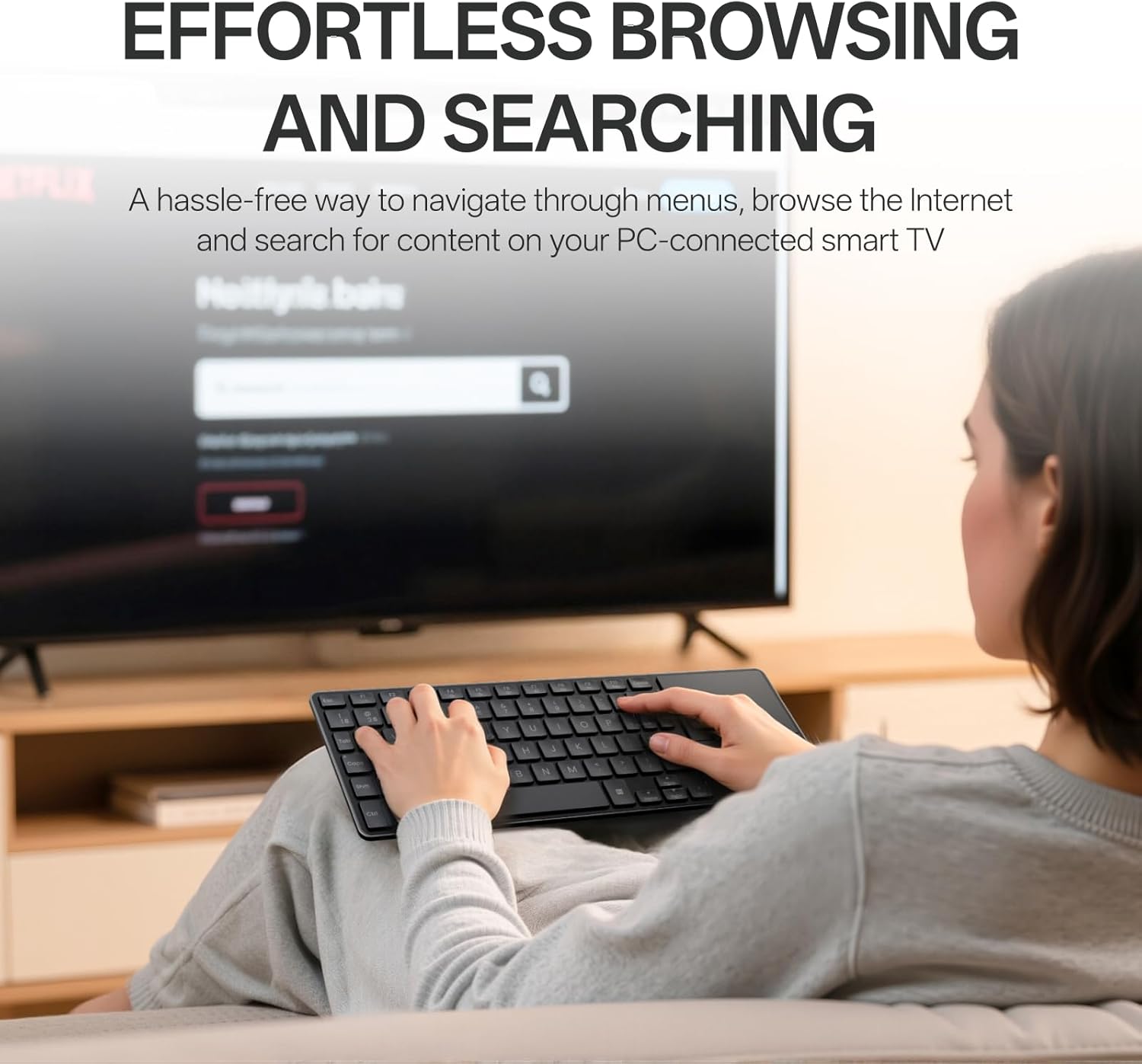
 Effortless Browsing and Searching
No longer selecting letters one by one, just type words or even URLs to search for content on TV.
 EASILY HOP ACROSS 4 DEVICES
Connect up to 4 devices across media & OS (TV, gaming console, PC, Mac, tablet, smartphone, etc).
 Bluetooth 5.0/4.0 + 2.4GHz
Get reliable and encrypted wireless connection via Bluetooth or the plug-and-play USB receiver.
1 Get More Out Of Your TV
2 Multi-Media & OS
3 3-Mode Wireless
 Integrated HTPC Keyboard with Touchpad
Tablet-sized tenkeyless layout w/ all the keys you need and a large touchpad for seamless control.


1 73-Key Compact Design
2 Gestures for Windows
3 Gestures for Mac OS
 Caps Lock Indicator
No guess work when typing, avoid password typos and improve your overall efficiency and experience
 Media & Volume Control
You can play, pause, track forward and backward, mute, and adjust volume directly from the keyboard.
 13 Month Battery Life
Upgraded low energy Bluetooth, lasts up to 13 months using 2 AAA batteries (included).
 USB Storage Compartment
Built-in storage compartment keeps the USB receiver in place, convenient to use and avoids losing.

How to switch the wireless modes between Bluetooth 5.0/4.0 and 2.4GHz?
Just turn the mode button (BT/OFF/2.4G) according to your needs – you can find the mode button on the back side of the keyboard. The Bluetooth 5.0/4.0 is automatically detected and applied according to your device version.
How to pair the keyboard with different devices?
2.4GHz mode: just plug the USB dongle; Bluetooth mode: long press (> 3 seconds) key combination [FN]+[1], [FN]+[2], [FN]+[3] to pair the keyboard with 3 devices.
How to switch among the 3 Bluetooth devices?
Short press (< 3 seconds) key combination [FN]+[1], [FN]+[2], [FN]+[3] to switch the keyboard among 3 Bluetooth devices.
How to switch the multimedia hotkeys between Windows and Mac OS?
Windows: Press key combination [FN]+[W]; Mac OS: Press key combination [FN]+[Q].
Blade-Series Ultra-Thin Keyboards
Add to Cart
Customer Reviews
3.9 out of 5 stars 72
—
—
—
—
Price
$24.99$24.99
—
—
—
—
Release Date
2025 Jun
2024 Oct
2024 Jan
2024 Mar
/
Wireless Connectivity
Bluetooth 5.0/4.0 + 2.4GHz
Bluetooth 5.0/4.0 + 2.4GHz
Bluetooth 5.0/4.0 + 2.4GHz
Bluetooth 5.0/4.0 + 2.4GHz
Bluetooth 5.0/4.0 + 2.4GHz
Multi-Device
Keyboard: 4
Keyboard: 4
Keyboard: 4
Keyboard: 4
Keyboard: 4
Key Type
Scissor
Scissor
Scissor
Scissor
Scissor
Number of Keys
73
78
99
99
110
Numeric Pad
✘
✘
✔
✔
✔
Multimedia Keys
✔
✔
✔
✔
✔
Battery Type
AAA
Lithium-ion
AAA
Lithium-ion
Lithium-ion
【All-in-one Solution for Multi Media and OS】Featuring Bluetooth 5.0/4.0 + 2.4GHz tri-mode wireless connectivity, this portable HTPC keyboard provides a great way to navigate, browse, search or type on your PC-connected TV, tablet, steam deck, gaming console, SBCs, mini pc, phone and other devices with Bluetooth or USB-A port.
【Ultra-Thin and Portable Design】 With the same length (11.09in/281.6mm) of iPad Pro 13-Inch (M4) and is even thinner (0.15in/3.9mm), E900T fits perfectly with most tablets and makes it easy to work-on-the-road.
【Built-in Touchpad and Gestures Support for Windows & Mac】Just use the best pointing device that we are all born with, no need to take a mouse all around, this keyboard supports multi-finger gestures for both Windows and Mac OS [Note: Press FN+W to enter Windows mode / FN+Q to enter Mac mode].
【Multi-Device and Multi-OS】Rapoo’s outstanding multi-device support, connects up to 4 devices across OS (Windows, Mac, Chrome, Android) – while our competitors’ products only support 3 devices.
【73-Key Compact Layout】Space-saving and portable, easy to carry in your bag or backpack, great for school, travel, and business. The multimedia hotkeys provide quick access to control your entertainment such as play/pause, volume +/-, eliminating the clutter of a separate keyboard and mouse.
【Low Power Consumption】Upgraded with our latest low-power technology, E900T can go up to 13 months with 1 or 2 AAA batteries (the battery number only affects runtime). We provide 2 new AAA batteries in the box, and we do recommend users to make the most of used batteries from other electronics – before applying the new ones.


Russell & Amber Bohlmann –
Good little keyboard with 4 wireless connection options
Review of the Rapoo E900T (white)I have three PCs at my desk and one keyboard and mouse to control them all.The setup is as follows:- PC1 running Linux Mint with one screen- PC2 running Windows 11 with three screens (gaming rig)- PC3 running Windows 11 with four screens (work laptop)- I have a Keychron Q10 wired keyboard and ProtoArc vertical mouse (Both physically attached to PC2)- I use Deskflow as a “Software KVM” to switch between the three systems (Deskflow server runs on PC2)For the most part this setup works great. But sometimes, for various reasons, Deskflow may not be functioning on one of the PCs and I need to attach a physical keyboard to it to fix the issue. I had been using a small Logitech K400+ for this purpose, and it worked adequately. However, the K400+ only offers one connection at a time, and I have to physically move the USB dongle from PC to PC as needed. I did not want to connect separate keyboards to each system.I initially purchased a physical USB Switch to connect my KB/Mouse to; however, this caused feedback through my speakers, which was NOT cool. Also, the extra cables were just more cables added to an already cable-ridden setup (3 computers and 8 monitors). So I searched for another solution.Enter the Rapoo E900T; this little gem turned out to be the perfect solution. It has a built-in trackpad and zero cables as everything is wireless. It supports one 2.4ghz and three BT connections. I tested the 2.4g dongle on PC1 just to make sure it worked, and it did; so I placed the dongle back into the battery compartment where it came from (it has a nice magnetic spot in the compartment to hold it secure).I proceeded to pair the E900T with each of my PCs via Bluetooth. It is nice to see that they changed the name of the connection for each of the three, so you know you are pairing the correct one. That is, the device name changes for each connection: “RAPOO Keyboard-1” vs “RAPOO Keyboard-2” vs “RAPOO Keyboard-3”. You can easily switch between each connection simply by pressing FN+1, FN+2, or FN+3. The switching seems almost instantaneous, no delay that I can see. Do note that there is no keyboard shortcut to switch to the 2.4ghz dongle connection; in this case, there is a physical switch on the back of the keyboard that you must use [BT|off|2.4]. The keyboard shortcuts switch between the BT connections ONLY.The build quality was a pleasant surprise. The back panel of the keyboard appears to be aluminum, which keeps the KB from flexing. The K400+ has more flex than the E900T. The KB runs on two AAA batteries (included), which I prefer over a built-in rechargeable. The KB is small and light, which, depending on your need could be good or bad. There are four little rubber feet on the bottom, which give it a good grip on a smooth surface.Do know that this IS a pretty small keyboard and that I would NOT want to use this as my daily driver! I wish the Enter key was bigger also. I’ll post pictures of the E900T next to the Q10 and K400+ as a comparison. For my purpose, which is just occasional use when my software KVM flakes out, this is great! I essentially will only be using it to get the main KB/Mouse working again via Deskflow.The only quirk I’ve found with it is that I need to press the shortcut key twice sometimes for it to switch. What I have been doing is simply pressing FN+1+1, or FN+2+2, or FN+3+3 to switch, and then I don’t have to worry/think about if it switched or not, it seems to work each time w/out issue. What I mean by FN+1+1 is essentially FN+doubletap 1 (i.e. press FN, then press and release 1 twice); it works every time using that method.I’ve only had the keyboard for one day, so if anything changes my review, Iâll come back and post an update.P.S. Deskflow is a free/open-source software KVM that works between different OSs (Windows, Linux, macOS). However, I’m only using it because I have one Linux PC in the mix. If I were running all Windows OS I would use “Input Director” instead, which is free for personal use and seems more stable than Deskflow.
Susan Olivieri –
Batteries do not last
Batteries do not last and I do not use often even when turning off. Key board is small, perfect for petite people. It took some troubleshooting to connect. The keyboard is weight less. If you are looking for a small keyboard to travel or for your computer this is your item. Not suitable for big fingers.
GodHandZ –
Good value for the price
Bought to use for my Xbox Ally X.Was super easy to pair.Small form factor keyboard and a decent touchpad.No issues thus far. Very happy with it
SIMPLE L –
super compact, needed
this Portable Wireless White Keyboard is a total win! I use it for everythingâfrom my laptop to my phone and even my TVâand it connects to all of them super easily, no lag at all. The touchpad is super smooth and makes navigating between devices a breeze. I donât even need a mouse anymore! The white design looks sleek, and it fits perfectly in my home office setup, plus itâs lightweight and portable, so I can take it anywhere. Typing on it feels great, and the keys are really responsive. Itâs awesome for casual browsing, working, or even controlling media on my HTPC. The fact that I can switch between devices in a snap is a huge plus. This keyboard has made everything easier, and I seriously couldnât be happier with it. If you need a multi-device keyboard thatâs stylish, functional, and easy to use, this is definitely the one
Joe Baker –
Nope
I thought it came with the rf dongle, apparently saying it works on RF and Blue tooth means you have to buy the dongle separately. Thatâs the same price as the keyboard. Soâ¦.
Alfredo GarcÃa –
Everything good
Very nice!!!
Amazon Customer –
Very small
Much smaller than I expected, but if that is what you want, works fine
Picard –
Keyboard
Seems like a pretty standard keyboard. Itâs fairly small and easily to transport around. Looks pretty portable. Also comes with a nice little touchpad. Seems straightforward needs to use. Probably good for kids sized hands as well. Then overall it has a nice simple styling to it.
Hiccup –
Great design, exceptional functionality having the ability to connect at 3 devices at the same time using Bluetooth is a killer feature alongside the Dongle.Only things I would’ve really appreciated are- If the Trackpad was a little bigger and made out of a softer finish material (maybe Glass) to feel easier to touch and control.- If the QWERTY keyboard itself was bigger in size to feel more comfortable to type on and get used to faster and easier.
Rashandima Perera –
Bought this one as a lazy couch keyboard. Sturdy and works great.
Darkshack –
Seems To Work Good, Connected To My TV Bluetooth Easily. It’s A Bit Smaller Than I Thought But It’s Usable. Glad It’s Made Out Of Actual Metal On The Bottom And Not Gray Plastic, Gives It A Premium Feel. However I’m Not Sure About The Rapoo Quality Control And How Long It Will Actually Last, As Mine Showed Up Dinged Up On The Back From The Factory, It’s Minor, But If That Stuff Is Getting Past Their QC What Else Gets Pastð¤ Anyway For The Price On Sale It’s Decent And Does The Job.
Amazon Customer –
This keyboard is more compact than I expected – somewhere between a full-size keyboard and no numpad layout. Despite the smaller footprint, pairing is very easy, whether through the included USB dongle (neatly stored in the battery compartment) or Bluetooth. I connected it to my MacBook via Bluetooth, and it paired instantly.The built-in touchpad is surprisingly responsive. Tap-to-click works well, and two-finger scrolling is smooth both vertically and horizontally. It definitely takes a little time to adjust to typing on a keyboard this small, and I do miss having a numpad, but for portability itâs a great trade-off.Aesthetically, itâs not the most premium-looking option. Some of the printed legends on the smaller keys (Function, Modifier, ESC) look slightly misaligned, but as a touch typist it doesnât affect usability. Overall, itâs a very handy, budget-friendly portable keyboard that works well for travel, media setups, and general on-the-go use.
Victor Chouryguine –
Fast delivery, works great with TV, phone and MacBook